Make your Clear icons glow.
Underglow paints color onto your wallpaper, exactly behind each app icon, widget and status item. Set it as your wallpaper and your Home Screen lights up from underneath.
Free to design. Pay only when you export.
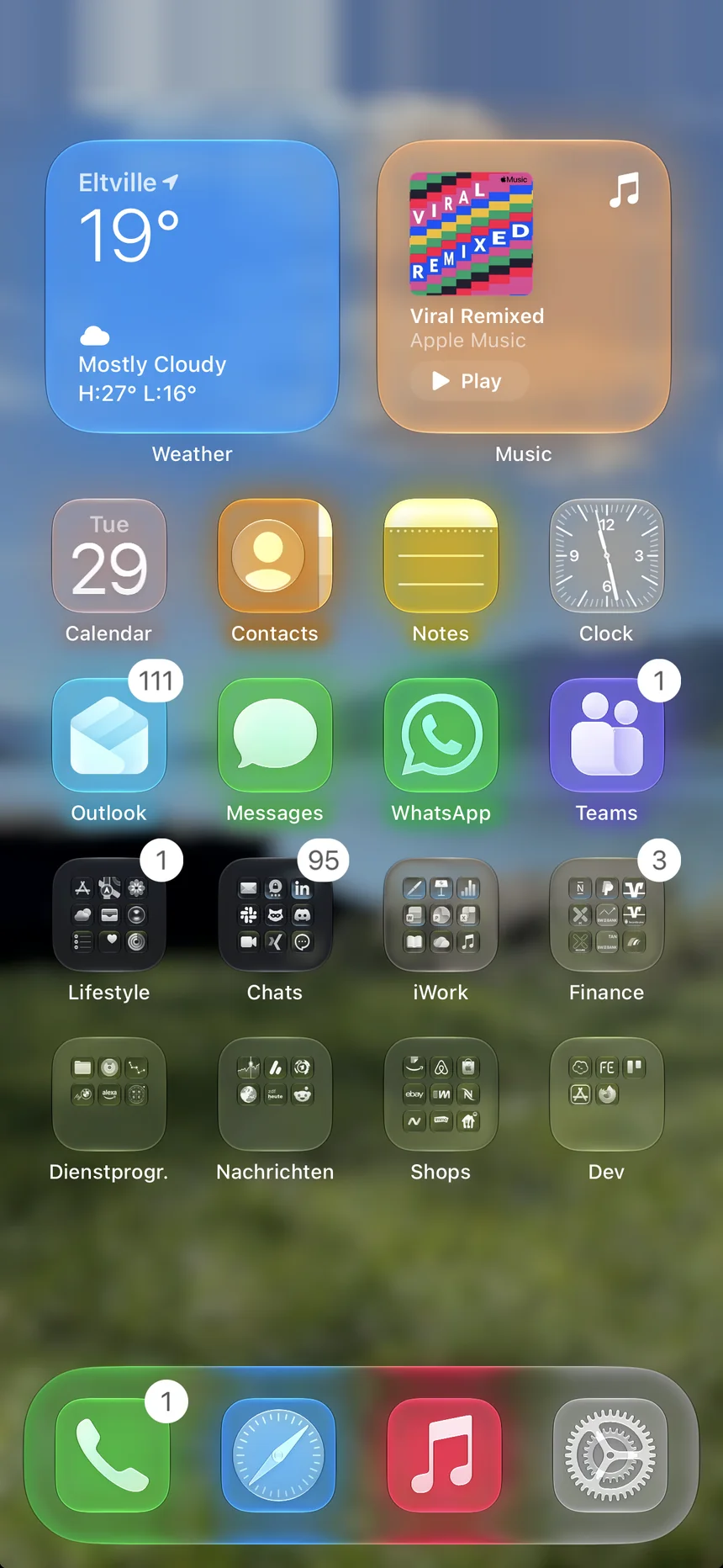
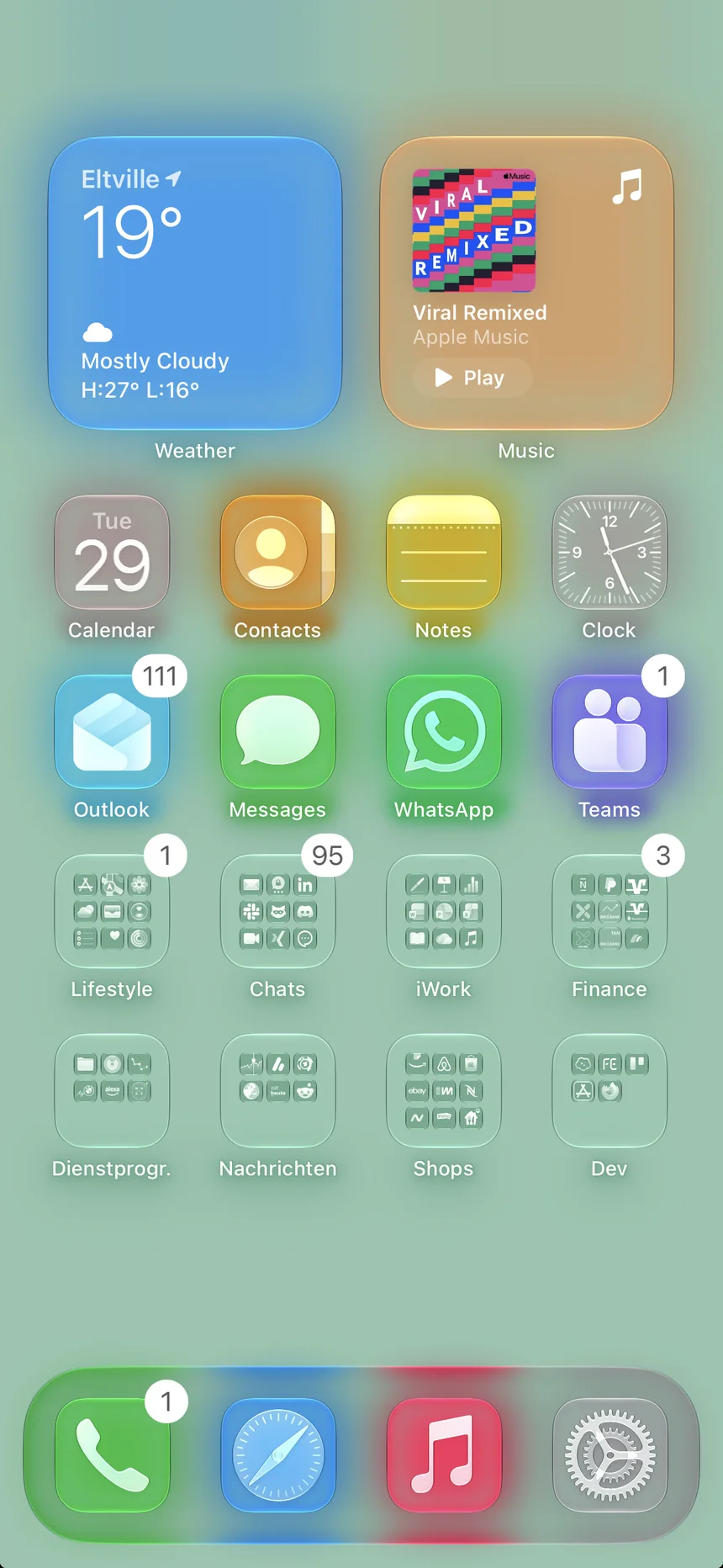
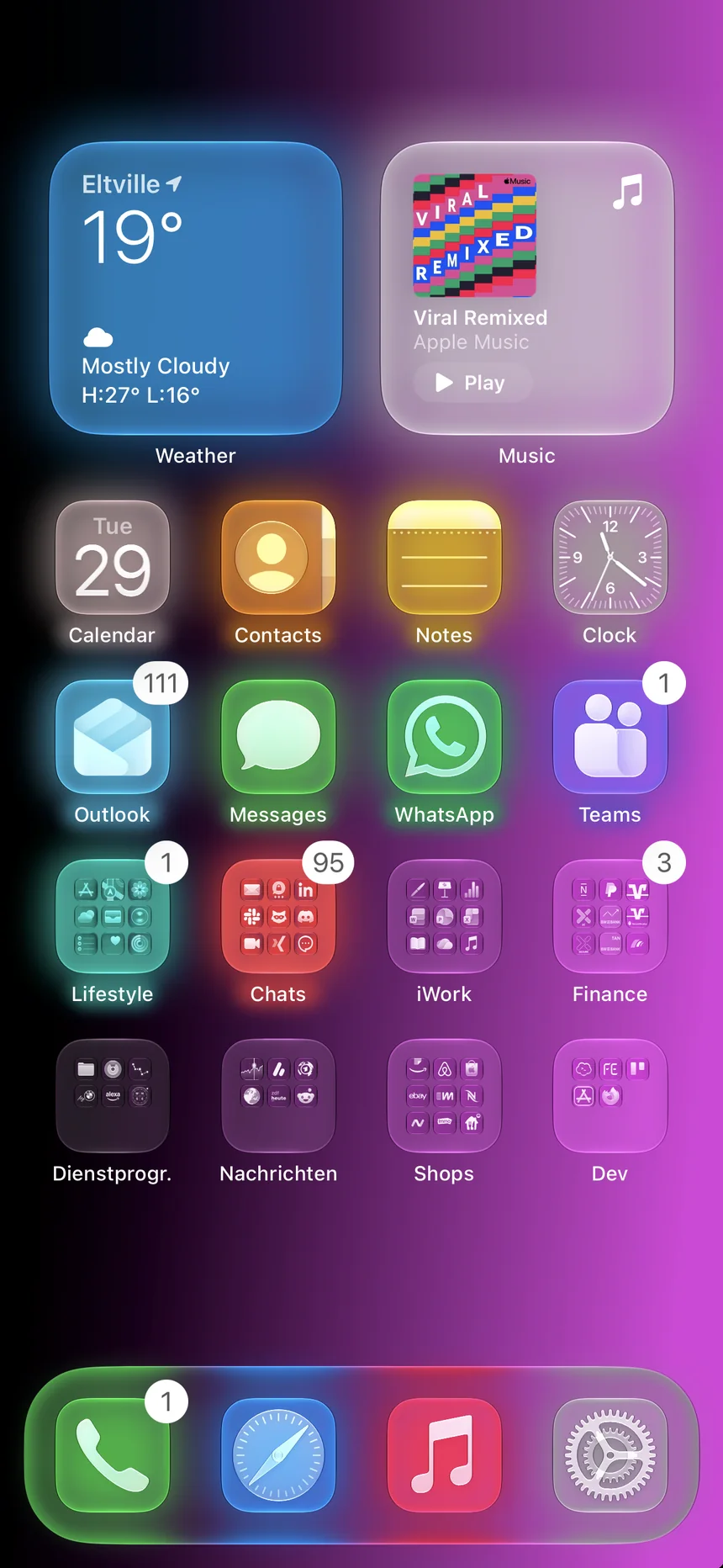
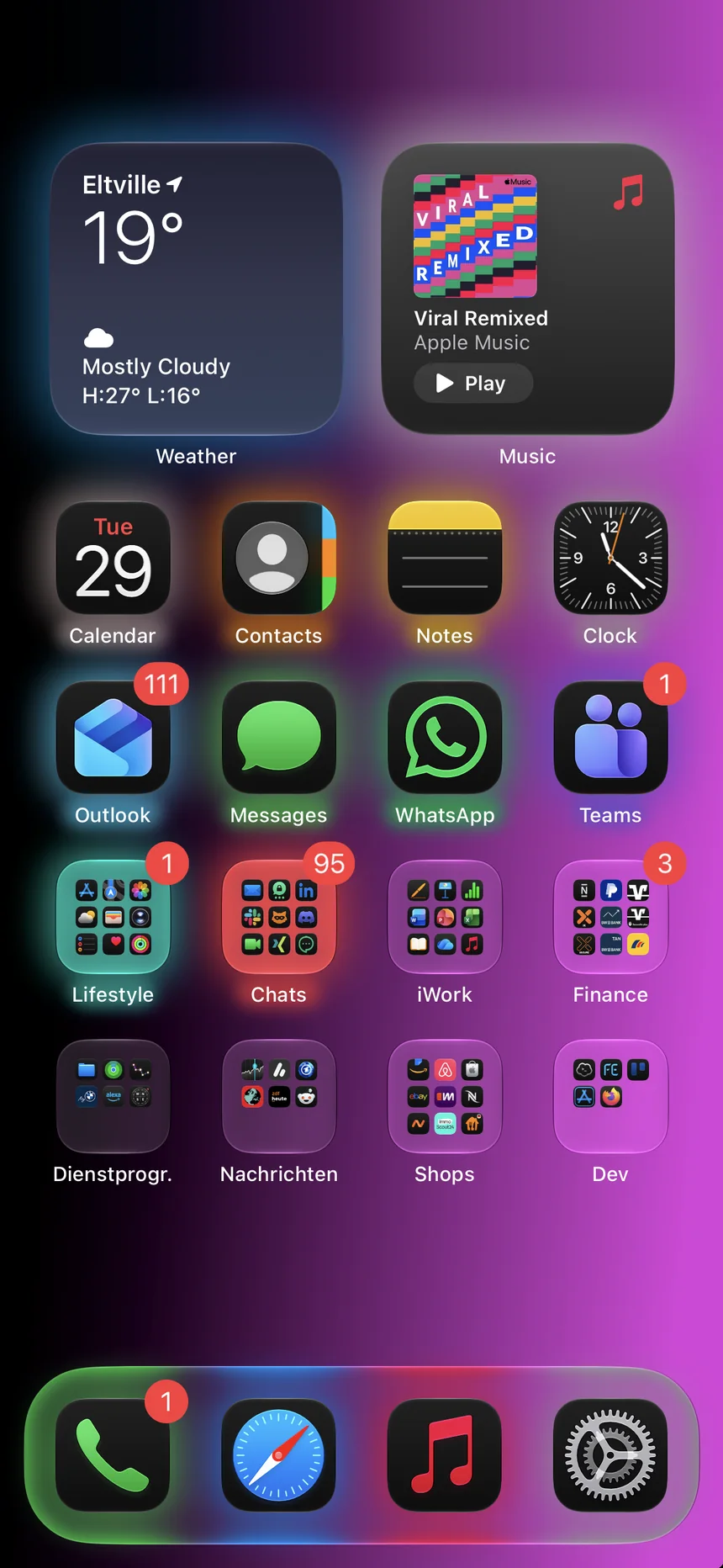
Your icons, lit from behind.
Every glow is baked into the wallpaper at your screen's native resolution, positioned for your iPhone's exact grid.
Three steps to a glowing Home Screen.
Place your glows
Tap icons, widgets, the time or status icons onto a replica of your Home Screen grid, or import a screenshot and Underglow finds your apps for you.
Make it yours
Pick a color for every glow, then tune blur, spread and opacity. Add a soft glow under app names and choose a solid, gradient or photo background.
Export and set
Save the wallpaper to Photos at full resolution, set it as your Home Screen with Clear icons, and every glow lands right behind its app.
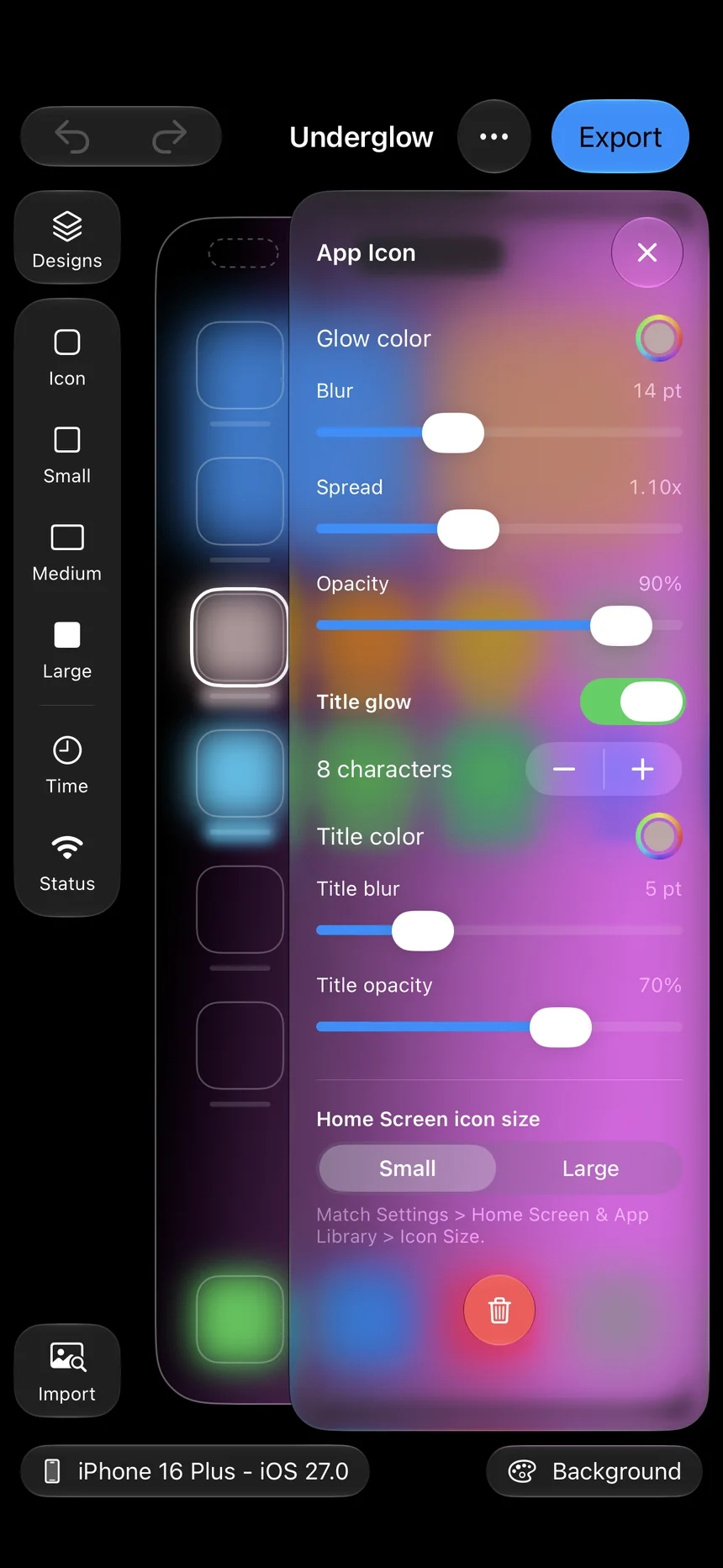
Tune every glow.
Each icon, widget and status item gets its own glow. Drag to move it, drop it onto another glow to copy its style, and undo anything.
- Color, blur, spread and opacity per glow
- Title glows under app names
- Small, medium and large widgets
- Matches Small and Large icon sizes
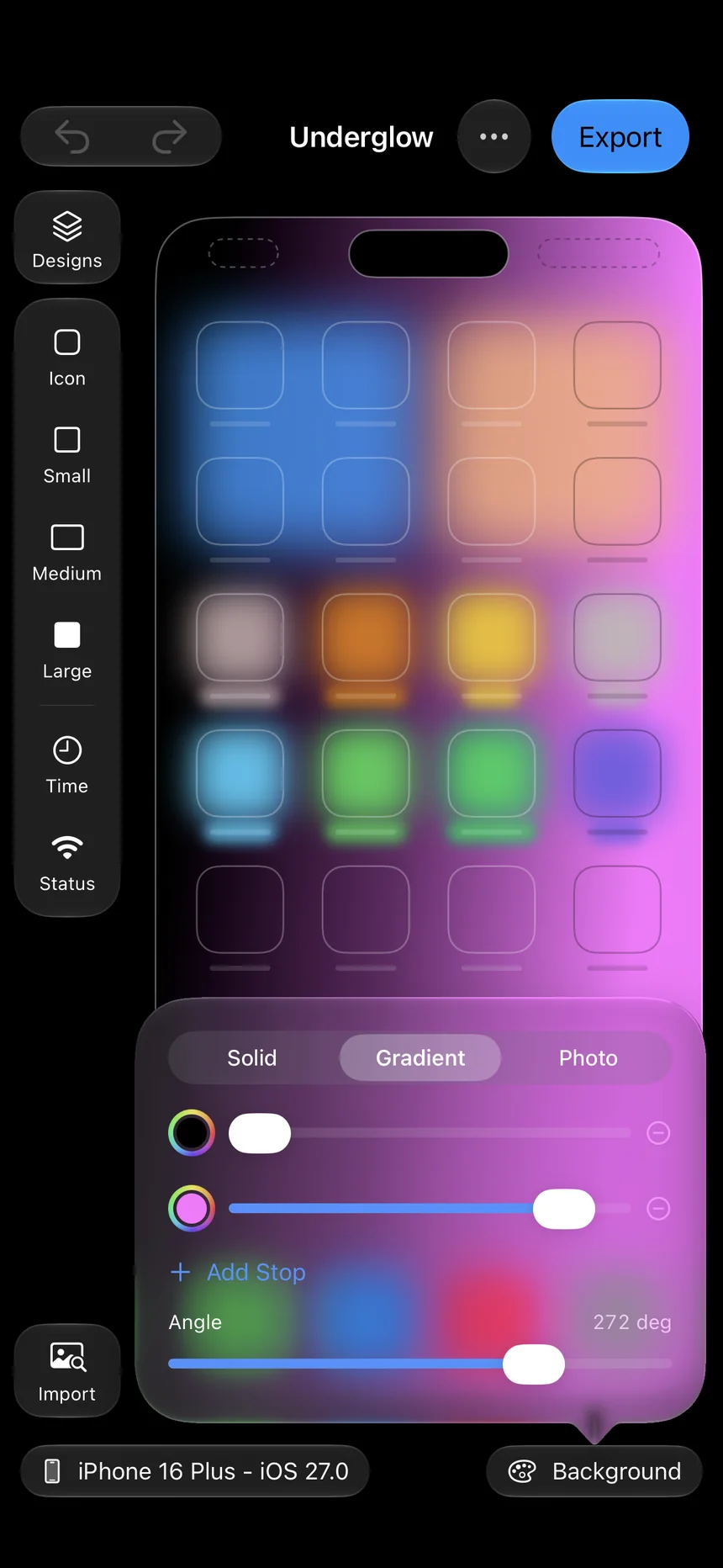
Any background you like.
Start from a single color, blend up to five gradient stops at any angle, or bring your own photo and pan, zoom and blur it until it sits just right.
- Solid colors and multi-stop gradients
- Your photos with pan, zoom and blur
- Guides adapt to bright and dark backgrounds
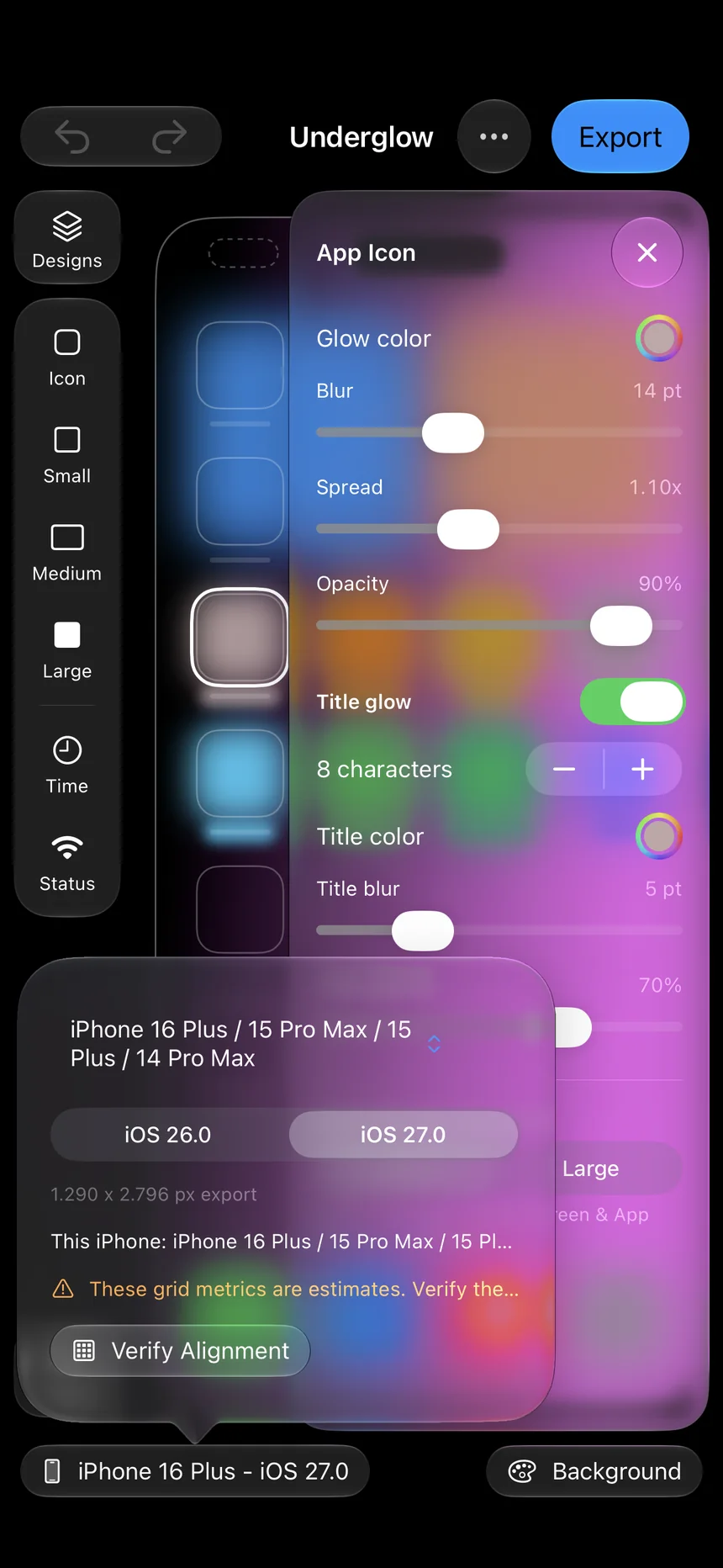
Made to fit, down to the point.
Underglow recognizes your iPhone and uses the Home Screen layout for your model, iOS version and icon size. Verify Alignment lets you check the grid against a screenshot of your own Home Screen and nudge it in half-point steps.
- iPhone 13 through iPhone 17, including iPhone Air
- Exports at your screen's native resolution
- Status bar, Dynamic Island and dock aware
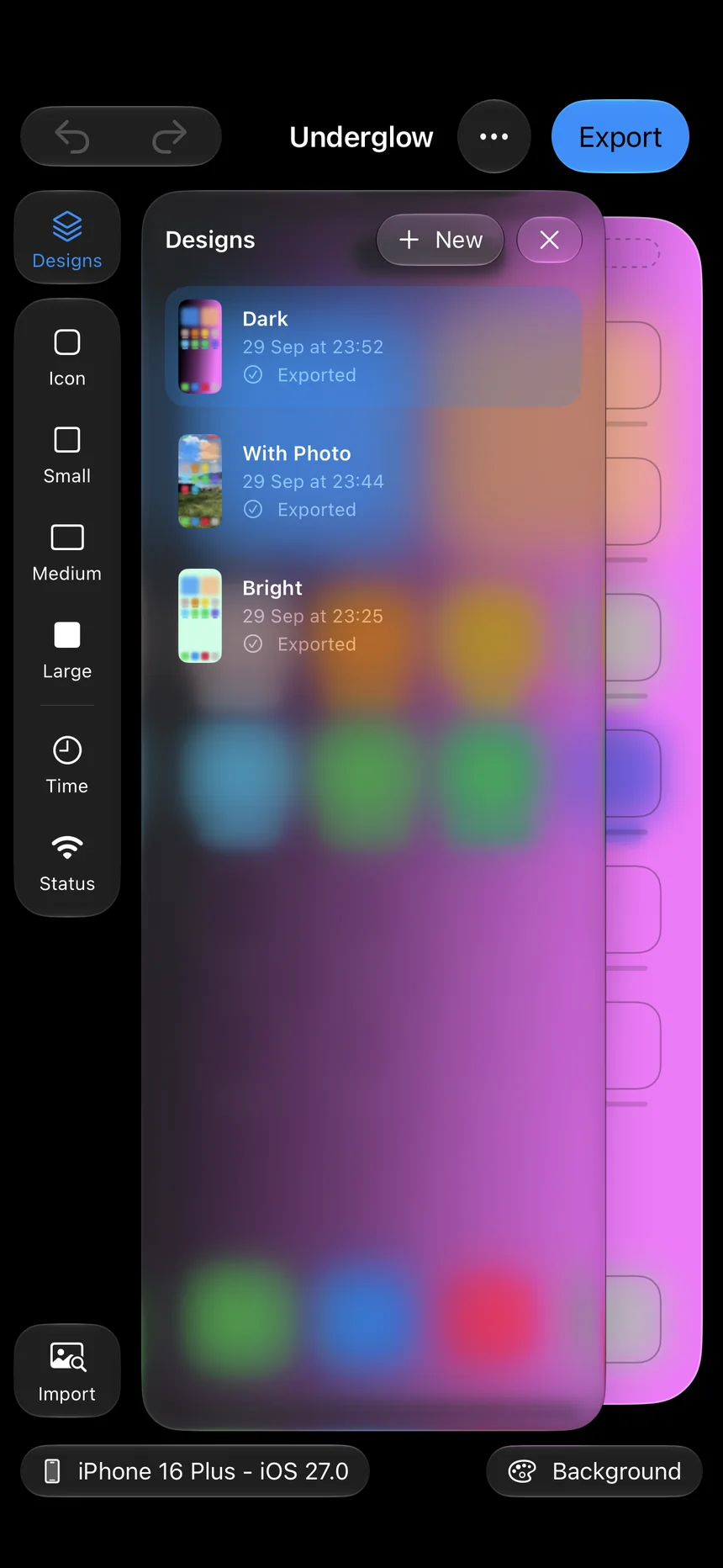
A look for every mood.
Every design is saved automatically. Duplicate one to try a variation, rename it, and switch between looks in seconds.
- Autosave with full undo and redo
- Duplicate, rename and organize designs
- Exported designs can be saved again any time
Paint a glow.
Choose a color and tap a tile. This is the idea behind Underglow: the icons stay clear glass, the color lives in the wallpaper underneath.
Tap a tile again to clear its glow.
Nothing leaves your iPhone.
No account, no tracking, no servers. Underglow works entirely on device.
On-device analysis
Screenshot import finds your icons and widgets locally. No image is ever uploaded.
Add-only Photos access
Underglow only asks to add your wallpaper to Photos. It never reads your library; photos you choose come through the system picker.
No data collected
No analytics, no ads, no sign-in. Purchases are handled by Apple and verified on your device.
Design for free. Pay to export.
The whole editor is free to use. When a design is ready, save it with a single export or go Unlimited.
Editor
Everything you need to design your look.
- All glow and background tools
- Screenshot import
- Verify Alignment
Single Export
Save one design to Photos.
- Full-resolution export
- Export that design again any time
- No subscription
Unlimited
Every design, as often as you like.
- Unlimited exports
- Edit every design, including exported ones
- Cancel any time
Prices shown in USD. Your local App Store price applies. Unlimited renews monthly until cancelled in Settings > Apple Account > Subscriptions.
Good to know.
What are Clear icons?
Since iOS 26 you can make your Home Screen icons clear glass: touch and hold the Home Screen, tap Edit > Customize and choose Clear. Clear icons let the wallpaper shine through, which is exactly where Underglow puts its color. Glows also look great as halos around Dark icons.
How do I set the wallpaper so the glows line up?
- Open the exported image in Photos, tap Share, then Use as Wallpaper.
- Keep the default zoom. Do not pinch or move the image.
- Turn Perspective Zoom off.
- Set it as the Home Screen wallpaper with Blur turned off.
- Match the icon size in Underglow to Settings > Home Screen & App Library.
Which iPhones are supported?
Underglow has Home Screen layouts for iPhone 13, 14, 15, 16 and 17 models, including the Plus, Pro, Pro Max, iPhone 16e and iPhone Air, on iOS 26 and later. It detects your iPhone automatically, and you can design for another model too.
Why is a design read-only after a single export?
A single export pays for that exact design. You can export it again at any time for free, and you can still adjust its alignment. To keep editing it, or to make as many designs as you like, get Unlimited.
Can I restore my purchases?
Unlimited is restored with Restore Purchases on any iPhone signed in to the same Apple Account. Single exports are consumable purchases, which Apple does not restore, so unused exports stay on the iPhone that bought them.
Light up your Home Screen.
Download Underglow and make your first design in minutes.